qrcode

A list of 22 great Android Apps

Not sure what to download from the Android Market? Try these top titles, including Barcode Scanner, BeyondPod, and SkyFire.


Best Android appsIllustration by Otto SteiningerHere are the top productivity tools, utilities, and games for smartphones based on Google's Android OS. If you're looking for multiplatform apps or titles exclusive to BlackBerry or iPhone, turn to the other articles in this package.

Productivity Tools

Check your head: In the Thinking Space "mind-mapping" app, you can create maps to connect thoughts and ideas. It's great for organizing and for forming new concepts. Ad-supported free version, $4 premium version
Manage your files: Astro File Manager makes your phone act as a miniature PC. You can copy/move/rename files, back up apps, send files as attachments, and create compressed files. Ad-supported free version, $4 premium version
Handle tasks wisely: The GTasks task manager syncs with the desktop Google Tasks, which you can also access in the Web version of Gmail and Google Calendar. It's so useful, it should be in­­cluded on every Android phone. Free
Manage archives: The powerful AndroZip File Manager works with archives, including 7ZIPhone, BZIP2, GZIPhone, RAR, TAR, and ZIPhone files. You can use it to create GZIP, TAR, or ZIPhone archives, too. Free
Text with panache: Forget the stock SMS utility. Handcent SMS brings customizable texting tools--with iPhone-style speech bubbles--to Android. Free

Utilities

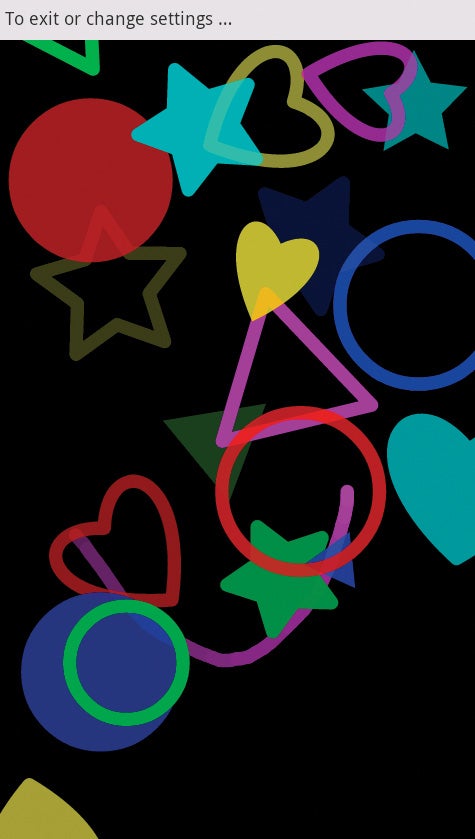
Toddler Lock for AndroidToddler Lock safely transforms your Android phone into a toy.Entertain a child: With Toddler Lock you can turn your phone into a toy that can keep your little one rapt for hours. It shows a single screen (locking away all others) that displays colorful shapes when your toddler touches it. Soothing sounds play in the background. Free
Use gestures to find files: Gesture Search lets you quickly locate a contact, a bookmark, an app, or a music track by drawing letters and digits on your phone's touchscreen. Free
Find the best Wi-Fi: Want to find the least-crowded Wi-Fi channel?Wifi Analyzer shows a graphical representation of Wi-Fi SSIDs' signal strength, plus which channels are being used. Free
Customize alerts: In Missed Call you can customize your phone's LED light, ringtones, vibrations, and alerts for missed calls, incoming calls, SMS, Blue­tooth, and calendar events. Free
Find a lost Android: If you lose your phone, AntiDroidTheft turns on remote GPS tracking so that you can determine its location. You can also trigger the phone's camera to shoot an image that might help you locate the handset. Free
Shine a light: Color Flashlight turns a phone into a bright light with a wide array of hues and strobe patterns. Free

Browsers

Skyfire for AndroidSkyfire allows you to enjoy Flash video on your handset.View Flash video now: Thanks to the Skyfire browser, you can play streaming Flash video. 'Nuff said. Free
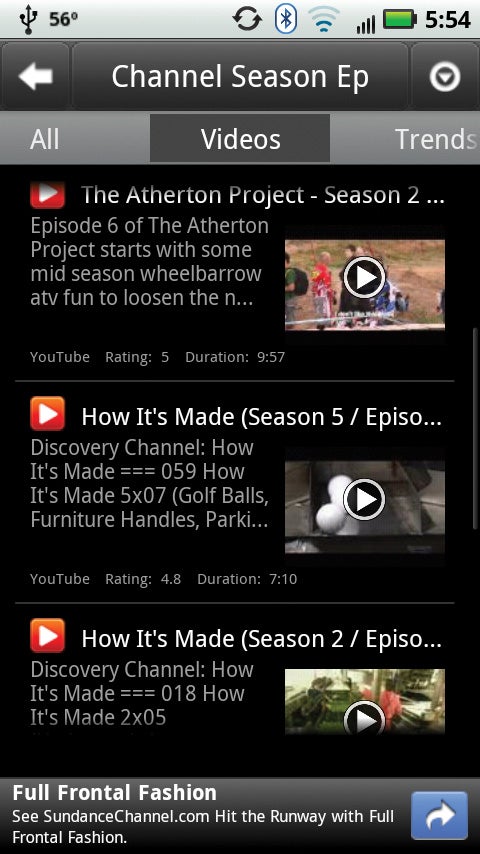
Browse better: The Dolphin Browser HD Web browser has tabs, gesture-based navigation, and plug-ins. It's a far more functional browser than the one that came preloaded on your phone. Free
Share Web pages: Bookmarklet plugs into the Android Web browser (or Dolphin HD) and lets you share Web pages with AIM, Bit.ly, Delicious, Digg, Facebook, Twitter, and other services. Free

Organizers and Timesavers

Make recipes mobile: Through Digital Recipe Sidekick you can browse and import recipes from AllRecipes.com, save recipes to SD Card, e-mail them, edit them, or enter your own. The app will even read recipes to you. Free
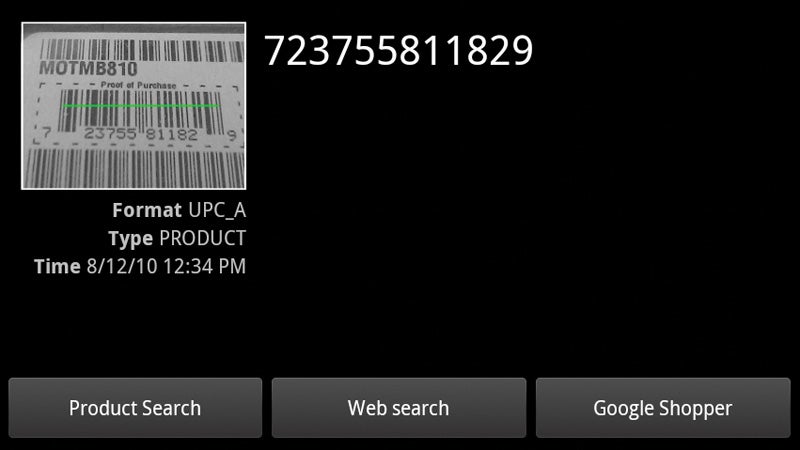
Barcode Scanner for AndroidBarcode Scanner helps you look up products for comparison shopping.Scan bar codes: Barcode Scannerhandles bar codes--including 2D QR codes--and lets you look up the associated product or URL for instant price checks and comparison shopping. Free
Convert and calculate: The in-beta ConvertMe app is a handy unit converter, currency converter, and tip calculator. It comes with more than 1500 units across more than 65 categories, and it supports 14 languages. Free
Take a measurement: The Smart Measure app, which uses your phone's camera, measures the height of objects and estimates the distance between your phone and the object. Free
Level it: With Spirit Level Plus, you can use your phone to make sure that pictures hang straight. The app also shows the angle of incline. Free

Audio and Photo Apps

BeyondPod for AndroidBeyondPod manages audio and video podcast subscriptions.Track podcasts: With Beyond­Pod, which integrates with the Android music player, you can discover and manage audio and video podcasts. The premium version adds better controls for updating and managing subscriptions. Free basic version, $7 premium version
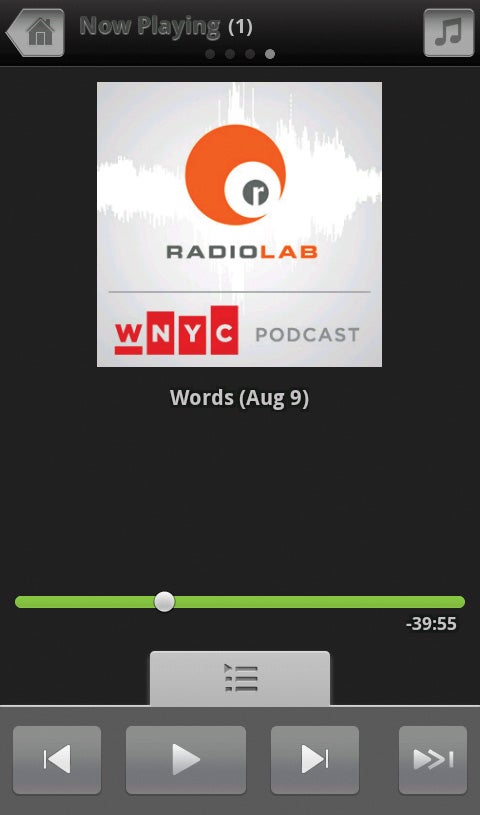
Discover cool podcasts: The Listen app helps you search for thousands of audio feeds, stream them, or subscribe to them. It integrates with Google Reader on the desktop, as well. Free
Work smart with photos: Using Picasa Tool Pro you can batch-upload photos, as well as browse and manage your albums, photos, and comments. Free

April Fool’s? 29 Individuals Still Using CM “TehUberDuckDistro” ROM… From 2011

Sure April Fool’s Day has come and gone sadly, but many of us sure enjoyed the good laughs, right? Well sadly, a particular joke has taken an unusual— albeit comical turn that has gone on for the past year. Last year a CM ROM was renamed to “TehUberDuckDistro” for a single nightly release which featured an unusual duck as its mascot instead of the usual Android. Some 29 individuals did not get the memo of “TehUberDuckDistro” being a joke and are actually logging in info with CM’s reporting app featuring “TehUberDuckDistro“. Here’s CyanogenMod team member Ricardo Cerqueira sharing his thoughts on the stunning find:

“I accidentally noticed, while checking something entirely different in our stats data, that 29 people are still running TDUD today. That one year-old, one-shot nightly is still in use, and I want to meet these 29 people just to shake their hands.”

The moral of the story is two-fold. One— some of these individuals using the CM ROM featuring “TehUberDuckDistro” really need to update their CM ROMs… immediately. Two— perhaps the 29 people still using the joke ROM may really like their duck mascots? Perhaps.

source: Android Community

» See more articles by Roy Alugbue

Categorized as Android Customization, Android News, Android ROMS, Android Software


View the original article here

ESER A10 Tablet Takes Budget Title To Another Level, Costs Only $51

Times are certainly tough and we love our budget-friendly devices, but here’s a tablet that’s sure to raise an eyebrow or two. And no— this isn’t an April Fool’s joke either. The ESER A10 tablet is a 7-incher which features seriously outdated modest specs. You’ll find a 800 x 480 “resistive” touchscreen, 1.2GHz BoxChip CPU, 4GB of internal storage, microSD out, HDMI out, WiFi and a front-facing camera. Oh and the device is capable of decoding 2160p video (can your tablet do that?!). All of this will be powered by Gingerbread 2.3 and feature 3G connectivity– though you’d need to buy a separate USG dongle. While the specs don’t come anywhere close to competition such as the Amazon Kindle Fire— the ESER A10 tablet is going for an astounding $51. You read right folks… the device will be available for a little over 50 bucks. Not too bad at all.

We know most of you love your speed and power in your tablets, but if you are pressed for cash and looking for a cheap alternative, what do you think? Would you splurge on this device?

source: The Digital Reader
via: Ubergizmo

» See more articles by Roy Alugbue

Categorized as Android Manufacturers, Android News, Android Retailers, Android Tablets


View the original article here

Android 5.0 Jelly Bean – Too much, too soon? Bad for users and developers alike?

Android-Jelly-Bean

Google has a problem. Android is being developed too fast while the adoption rates for the new versions are too low. The Android 2.x series started when Android 2.0 Eclair was released at the end of 2009. By the end of 2010, Froyo and Gingerbread (Android 2.2 and 2.3) were released and remained the dominant versions used until today. Since then, Google has released Android 3 (Honeycomb) and Android 4 (Ice Cream Sandwich). But, chances are that if you buy an Android phone today it will be running either 2.2 or 2.3.

The tablet market has slightly better adoption rates for the newer versions of Android, but this is mainly due to the fact that Android 3 was designed with tablets in mind. Even so, popular tablets like the Samsung Galaxy Tab still used Android 2.x, and its updated variant, the Galaxy Tab Plus, uses Android 3.2 and not Android 4.0.

Only 3% of Android devices run Ice Cream Sandwich and yet pundits are now talking about the release of Android 5, codenamed Jelly Bean. These are only rumors so far, and, at the recent Mobile World Congress 2012 event, Eric Schmidt said nothing about Android 5 during his keynote. However Android 5 will be released one day, if only because 5 comes after 4 and Android will continue to be developed.

But Google’s problem is it needs to find a way to convince device manufacturers to release Android updates and it needs to make this process easier for users. Apple seem to be winning in this respect, with a recent report finding that 77% of customers upgraded to iOS 5.1 within 14 days of its release. 3% adoption of ICS, 77% of iOS 5.1. The difference is huge.

Android flavor distribution in March

The implications of the slow adoption rates are threefold:

First, users aren’t getting the best that Google has to offer. Android 4.0 is superior to Android 2.x in many ways (see Android 2.3 Gingerbread vs. Android 4.0 Ice Cream Sandwich), and yet, these benefits aren’t being passed to the user. Assuming that Android 5.0 will be better than Android 4 and that it will add neat new features, how long will it be until customers get these new features?

The iPhone 3GS was released in 2009 and it can run the latest version of iOS. I think you will be hard pushed to find an Android device from 2009 that has support for ICS, let alone Jelly Bean (although this may change when CyanogenMod 9 comes out). LG has made a commitment to bring Android 5.0 to all of its 2012 handsets (with the sole condition that the phone can support Android 5.0), but there is no such commitment for the Android phone you bought last year.

Second, there is the question of security. Security vulnerabilities are discovered almost daily in all computer operating systems and applications – from Windows XP to Mac OS X 10.7, from Flash to Chrome. Companies like Google spend a lot of money and energy in fixing these vulnerabilities and making their products secure. However, if these changes and improvements aren’t passed on to the customer, then their efforts are in vain. For example, Android 4.0 introduced full device encryption allowing you to encrypt all the data on your phone including all the application data, music, downloaded information, and so on. Only 3% of Android users have this facility at their disposal today.

Thirdly, developers are left trying to support older versions of Android and have to ignore new features as they try to ensure that their apps and games will run on the majority of devices. For example, Android 4 added a new social API which allows app developers to use a new unified store for contacts, profile data, stream items, and photos. With the new API, any app or social network (with permission from the user) can contribute contacts and make them accessible to other apps and networks. Great for social networking fanatics. But if the devices out there in the real world are still running Android 2.x this API is irrelevant. Developers have to ignore it.

This could all change once Google finally gets its hands on Motorola. If Google does the right thing and offers free upgrades to all the devices it releases, and uses Motorola to showcase the power of Android, it should shame the other manufacturers into releasing upgrades for their hardware. This way the users win, developers win, Android wins.

Google could already be doing this by releasing the Chrome beta exclusively for Android 4.0. This means that only a small number of users will be able to use the new browser (compared to the total number of Android users), and yet Google is insisting on ICS. Is this for technical reasons? Maybe. But Firefox is available for all devices running Android 2.1 or above (as long as they have 512MB of RAM).

Is Ice Cream Sandwich the Windows Vista of the Android world? When the netbook  phenomenon struck, Microsoft was forced to extend the life of Windows XP as it was the only Windows that was able to chug along happily on these lower specification laptops. Windows Vista was way to heavy.

Is this true of ICS? Android 4.0 does indeed impose some minimum requirements in terms of memory and GPU capabilities. For example, all devices running Android 4.0 are required to support hardware-accelerated 2D drawing.  Should Google be looking at a lighter version of Android 5 that can run on today’s devices with, say, only 256MB of memory and with a lesser GPU?

Do you agree with me? Or do you think I got it wrong? How do you think Google could improve adoption rates? Let me know by adding a comment below. I promise to reply to all sensible comments!

TAGS android 5.0Future of AndroidJelly Bean


View the original article here

Dolphin Browser HD officially arrives for the BlackBerry PlayBook

Dolphin Browser HD

Yes, we know. Dolphin Browser HD was previously available in BlackBerry App World for the BlackBerry PlayBook but after some hoopla about it being put there by Handster it was subsequently removed. With that little issue now cleared up, the folks from MoboTap have officially released Dolphin Browser HD into BlackBerry App World and if you're looking to try out a new browser Dolphin may have the features you're looking for:

Gesture - Let your inner artist out and create a personal Gesture (symbol) to access the mobile and desktop websites you use the most.Webzine - Fast Web page loading, with no ads. Dolphin Webzine simplifies the way you read your favorite mobile content, from news to blogs and websites. Speed Dial - Visit you favorite mobile and desktop websites on the go with one touch.Tabbed browsing - No need to toggle between screens, tabbed browsing lets you open and switch between Web pages fast as lightning.SideBars - Make the best of mobile interface via Dolphin SideBar. 

Personally, I'm a fan of Dolphin Browser HD on my Android device but for the PlayBook, I have no issues with the native web browser but differentiation is good. Give Dolphin a go and see how you like it, I'm sure the folks from MoboTap will appreciate the feedback.

Download Dolphin Browser HD for the BlackBerry PlayBook


View the original article here

How NoiseHush NX22 Hi-Fi Stereo Headphones made me love wires again

In Short:
"The music stays in and the noise stays out"
Should I Buy?
"One of the most comfortable pair of headphones on the market"

NoiseHush NX22

The wired versus wireless war has been raging for years, with my ears being the battleground. The major players have always been comfort, sound and functionality. For the longest time, I’ve been sporting the ear bud design. They’re lightweight and subtle. Now perhaps it’s the fact that my ears are oddly shaped, but I could never find that perfect fit- they kept popping out. The Bluetooth option intrigued me, as it provided a greater range of movement (zero chance of whiplash or strangulation while dancing). With the lack of wires, came the added responsibility of making sure they were charged – which I often neglected. After checking out Jared’s review of the NoiseHush NX26, I fell in love. Not with Jared (mind you, I hear he’s a great guy), but with what the large headphones had to offer. I decided to check out a pair of NoiseHush NX22 Hi-Fi stereo headphones to see if they, and my colossal cranium, were a perfect fit.

The term Hi-Fi (or High Fidelity) is a long used term by audiophiles and “regular folk” as an accurate reproduction of the original sound – capturing each tone as it was originally played. It differs slightly from HD (High Definition) which presents a more immersive, or surround, sound rather than strictly copying the original sound.

NX22 sound

The NX22 has neodymium magnet drivers to deliver satisfying sound. The result is a crisp replication of sound with a defined bass, that isn’t overpowering. The volume wasn’t considerably high with the NX22, but with the over the ear design, and encompassing ear cushions, the external noise was greatly reduced. This means that I can enjoy listing to music, playing games or checking out podcasts without cranking up the volume in order to drown everything else out. For someone with an eclectic taste, I did find the NX22 to be sufficient to listen to anything from Sunset Boulevard to Evanescence to Imagination Movers. It was excellent, and consistent performance.

NX22 Mic

As far as calls went, the built in microphone with function button made it easy to answer them. The microphone is designed to help filter out external noise; thereby keeping the person on the other end unaware that you were just rocking out.

I have never had an over-the-head headset fit so comfortably! The layout of the NX22 is different from the NX26. A fixed band connects between the two ear pieces. Below this is a spring loaded headband with a cushion for a comfortable fit, without being too snug. Like the NX26 the ear cups tilt up and down, based on your head shape and still sport a comfortable cushioning. Unlike the NX26, the earcups also pivot to the front and back. This makes it quite easy to find the perfect fit.

NX22 comfort

NX22 comfort 2

Without feeling squeezed or my ears getting hot- I could wear these headphones for hours on end. Now despite all of these moving parts, the NX22 feels very solid. The ear cups will not easily pry away from the band, nor does the band fell as though as it will snap if stretched too far. Even with the added bulk, the NX22 is only slightly heavier than the NX26 and still feels lightweight. The base of the wire is also slightly flexible and feels as though it won’t let it go without a fight. You have 5.7 feet of wire to play with, so you can easily sit on the couch and prop up your Playbook on your coffee table to listen to music or watch a movie.

The design itself is awesome. I love the old school look of the NX22. Anyone who wears them will look cool.

NX22 model

…well, almost anyone.

The Good

Comfortable, lightweight and durable – the NoiseHush NX22 beautifully capture the old school look, with the new school demands. It’s a fantastic headphone to use no matter the situation.

The Bad

Not everyone is a fan of Hi-Fi and may want to look elsewhere if you are looking for Hi Def. Despite the lightweight feel, there is definite bulk.

Conclusion

The NX22 will be my new favourite pair of headphones for a long time. You will easily agree with me when I say there’s quality in its build and in its performance.


View the original article here

Keep tabs on March Madness with Sports Live!

Keep tabs on March Madness with Sports Live!

It's that time of year. The squeak of sneakers and screams of crowds fill the air and the hopes of 67 squads from across the United States are crushed with a ferocity that only basketball can bring. That's right, March Madness is underway. While there are plenty of sports apps in the webOS App Catalog, only one really stands out as worth your money for keeping tabs on all the games upon which the success of your bracket. That one app is Sports Live!

Well, it's Sports Live and it's derivatives. On the TouchPad, we wouldn't talk anybody out of buying Sports Live HD, and for this happy go lucky season of basketball insanity, you wouldn't be wrong to buy College Basketball Live for your webOS smartphone either. Both apps let you passively keep tabs on your favorite/necessary teams through the joy of webOS notifications. Should you be feeling more antsy, you can also open the app itself and check out the scores in real time for all games.

Both apps are made by More Solutions and available now in the App Catalog - Sports Live! HD for the TouchPad is currently on sale for $2.49, while College Basketball Live! and Women's College Basketball Live! are available for $1.99 and Sports Live! for webOS smartphones is $7.99

Also, go Bearcats!


View the original article here

Pop!Later is a Read It Later app that lives inside a notification

Pop!Later

We've seen all sorts of interesting things done with webOS notifications, from persistent weather and stock information to pop-up mini news readers. But they were always basic and focused apps. But Science Apps, the webOS developers behind Starter and Lithium News, recently kicked things up a notch with the app-in-a-notification system with Pop!Later.

This new app is a Read It Later client that lives in a notification on your webOS smartphone or TouchPad. Not only can you use it to submit a copied URL, you can actually browse, read, and manage your saved articles all from within the notification. You might be asking yourself, "Why would I want this?" Essentially this lets you have two apps running at once on the same screen - Pop!Later providing the Read It Later view while whatever else you want - a movie, for example - takes up the rest of the screen.


View the original article here